Phone call alerts
This guide walks you through configuring phone call alerts—from building the circuit to creating the automation logic in Rust Toolbox—so you can get notified automatically when your base is being raided.
If you don’t know how to pair devices yet, start with the Pair devices guide.
This guide provides a simple and practical setup. The toolbox is flexible—feel free to adjust the configuration to match your needs.
Step 1: Build the circuit
Required items
- Smart Switch × 1
- Vibration Sensor × 1
- Electrical Branch × 1
Wiring
Wire it like the diagram below:
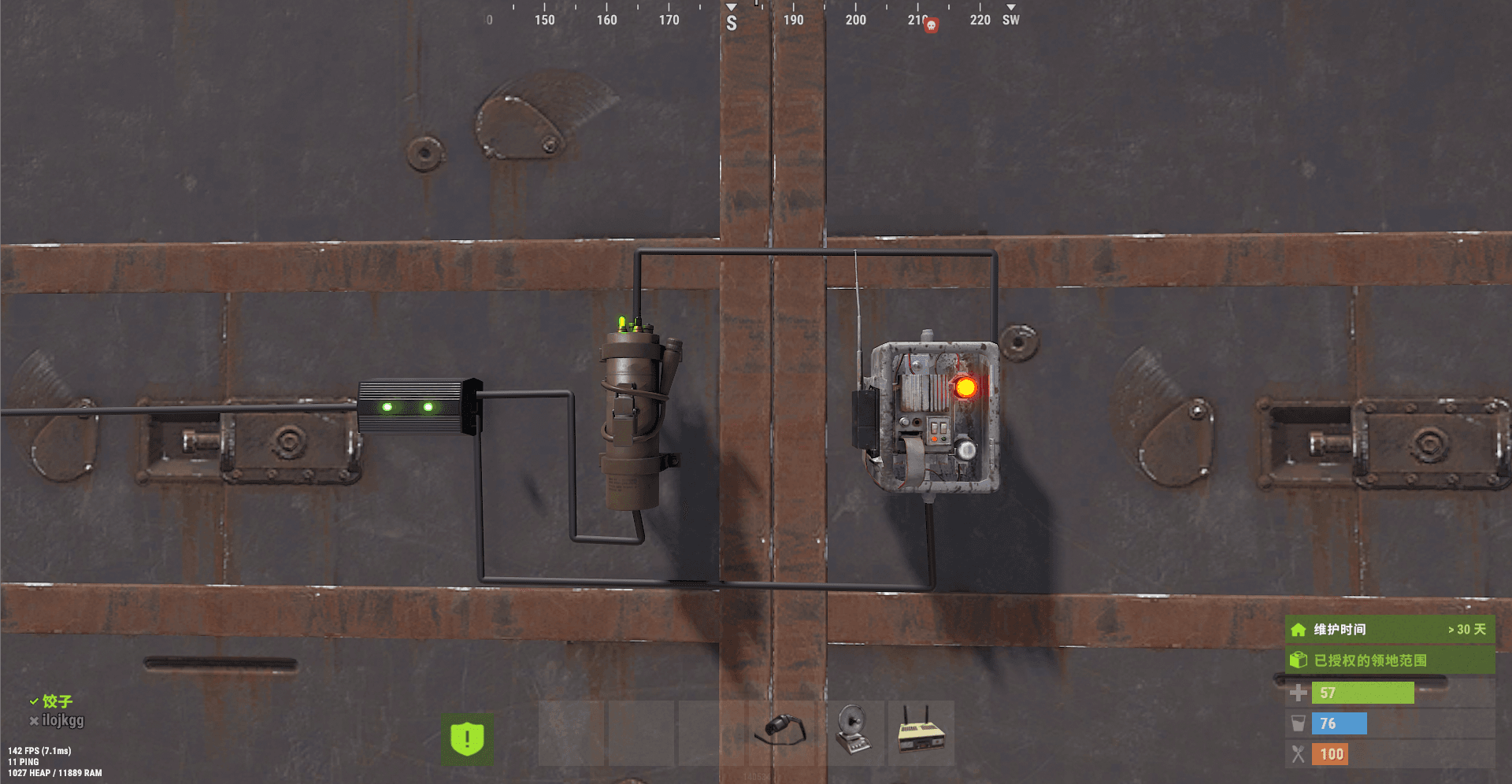
When someone damages your base, the Vibration Sensor triggers. The circuit toggles the Smart Switch state, which then triggers Rust Toolbox automation logic.
Step 2: Configure a call group
After the circuit is built and the devices are paired, create a call group in the toolbox.
Steps
- Open the dashboard
- Click Automation Logic
- Select Call Groups
- Configure your call group information
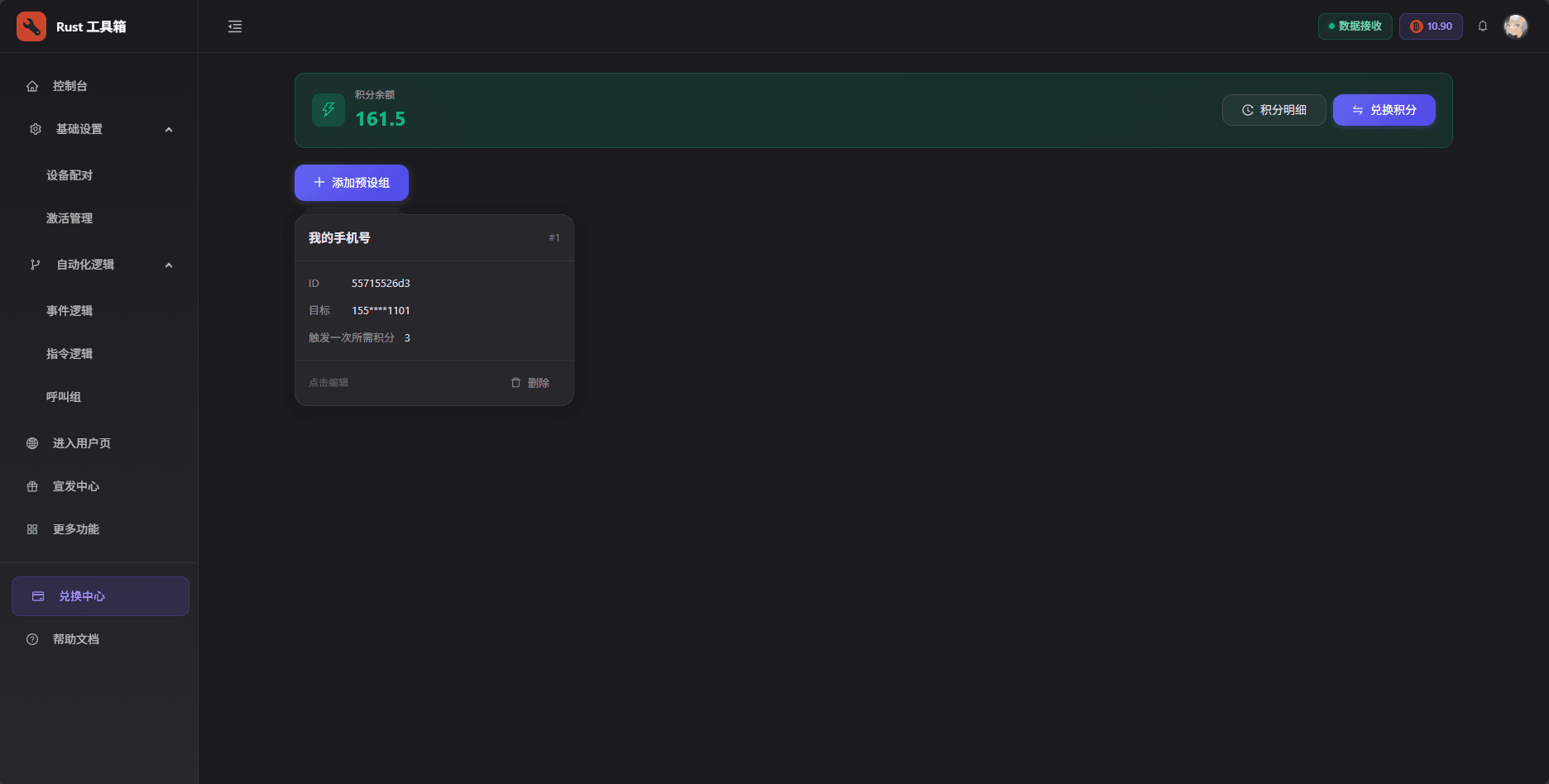
You can set multiple contact methods to make sure you get notified in emergencies.
Step 3: Add event logic
Now add event logic to trigger the phone call.
Steps
- Go to Automation Logic
- Select Event Logic
- Click Create new event logic
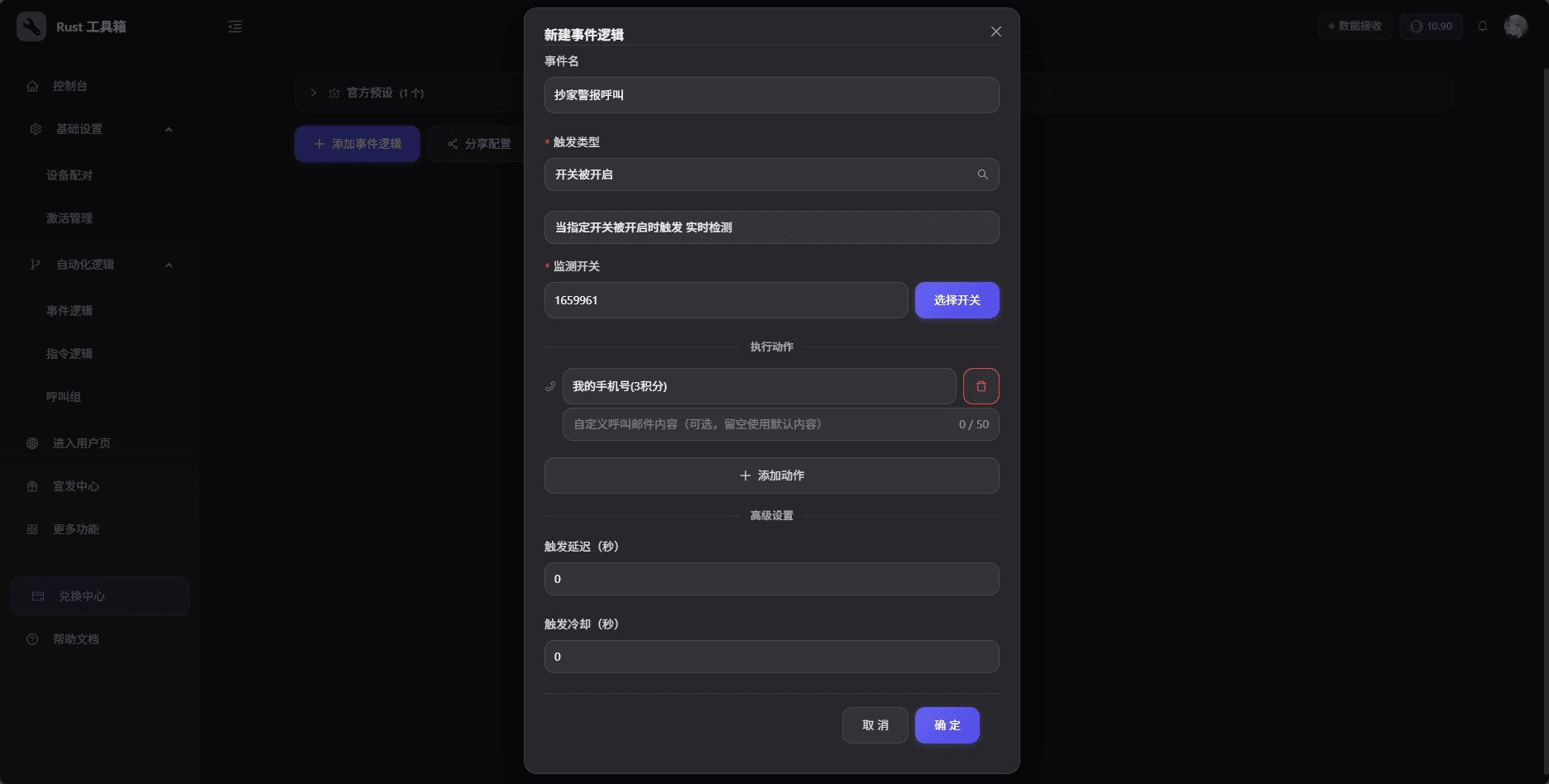
- Set the trigger:
- Trigger type: Basic
- Trigger event: Switch turned on
- Monitored device: choose the Smart Switch you paired
- Add an action:
- Action type: Call group
- Call group: choose the call group you just created
Your configuration should look like this:
Step 4: Test
After configuration, we recommend running a test.
How to test
- Click Confirm to save
- Manually toggle the Smart Switch
- Check whether you receive the phone call
This logic is essentially monitoring switch state changes, so manually toggling the switch is a safe way to test.
Congrats! Your phone call alert is configured. When your base is being raided, the system will automatically call you.