Pair a server (in-game)
Prerequisite
Make sure you have completed Steam pairing first.
Step 1: Join a Rust server
Connect to your server in-game so the toolbox can access your Rust+ data.
Steps
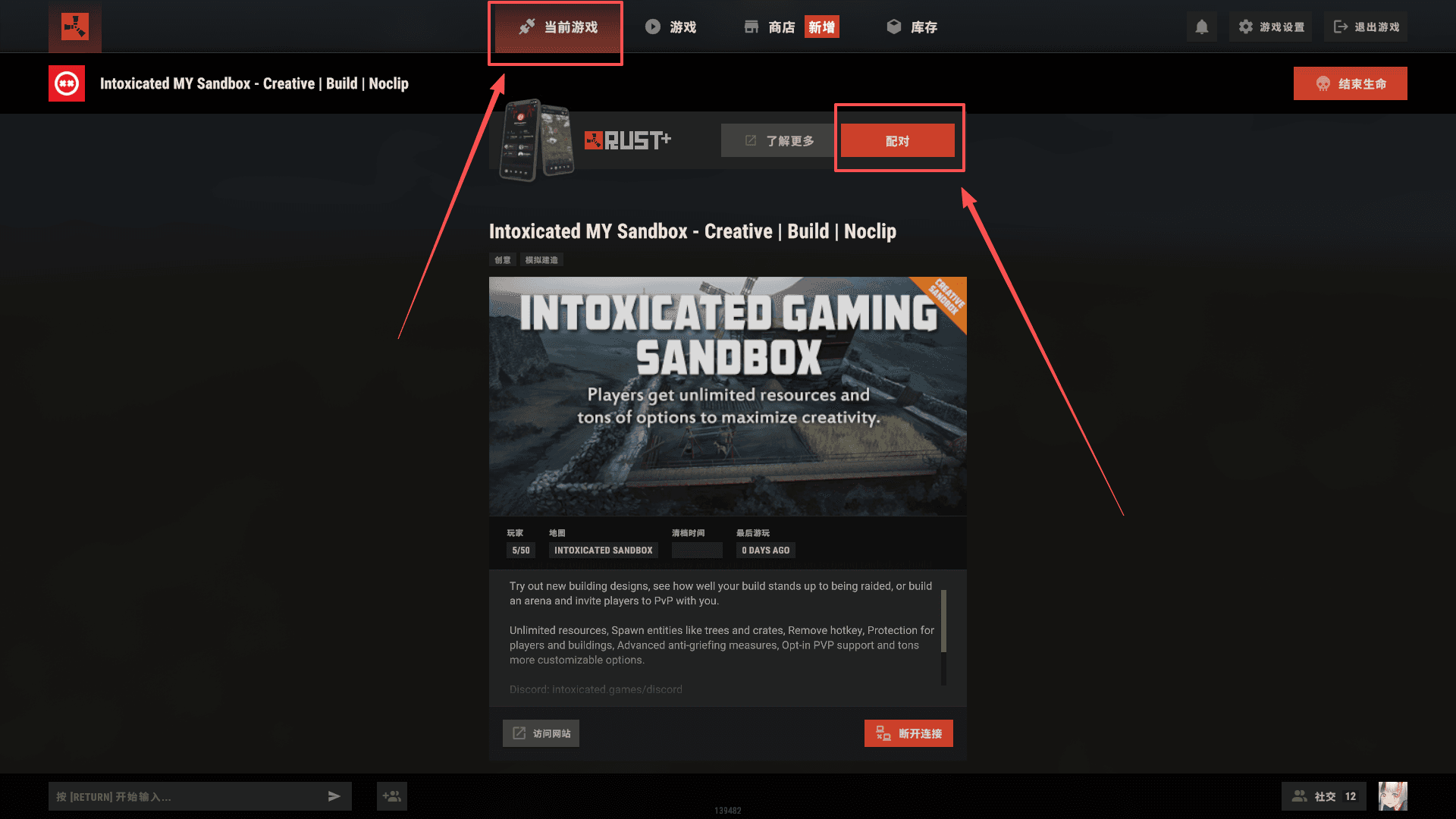
- Press ESC in-game
- Select Current game
- Click Pair
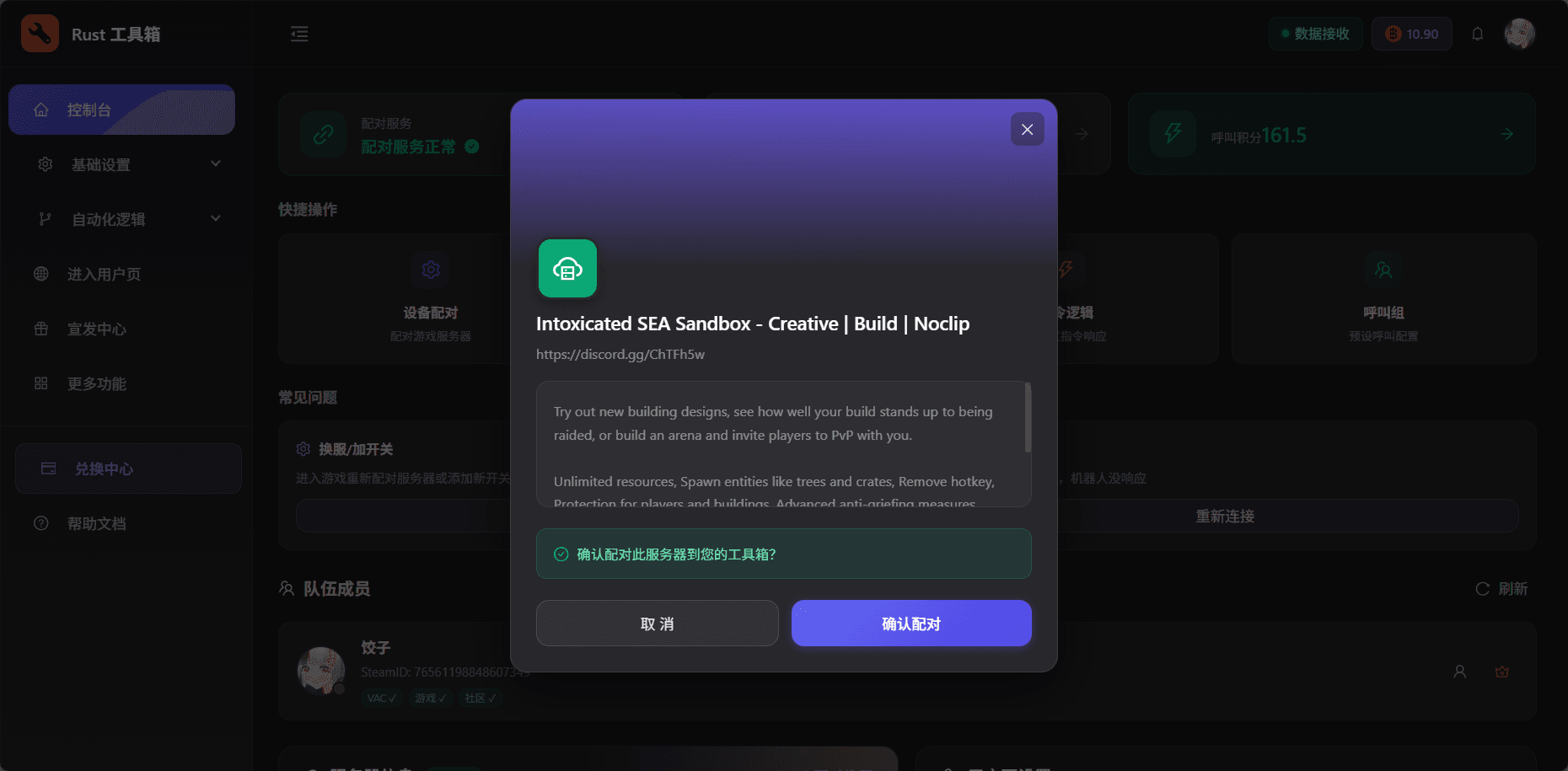
Confirm pairing
After you click Pair in-game, the toolbox dashboard will show a confirmation pop-up. Confirm to complete pairing.
Switching servers
If you want to pair a different server later, repeat the steps above to replace the previous pairing.