Edge add-ons store page won’t open
Credit
This issue was reported by group member 1913204227, who also provided the solution.
If you cannot open the Microsoft Edge Add-ons store page, follow the steps below.
Symptoms
- Edge can’t access the Microsoft Edge Add-ons store
- The page fails to load or shows a network error
- You can’t download the Rust Credential Helper extension

Fix
Step 1: Open Edge settings
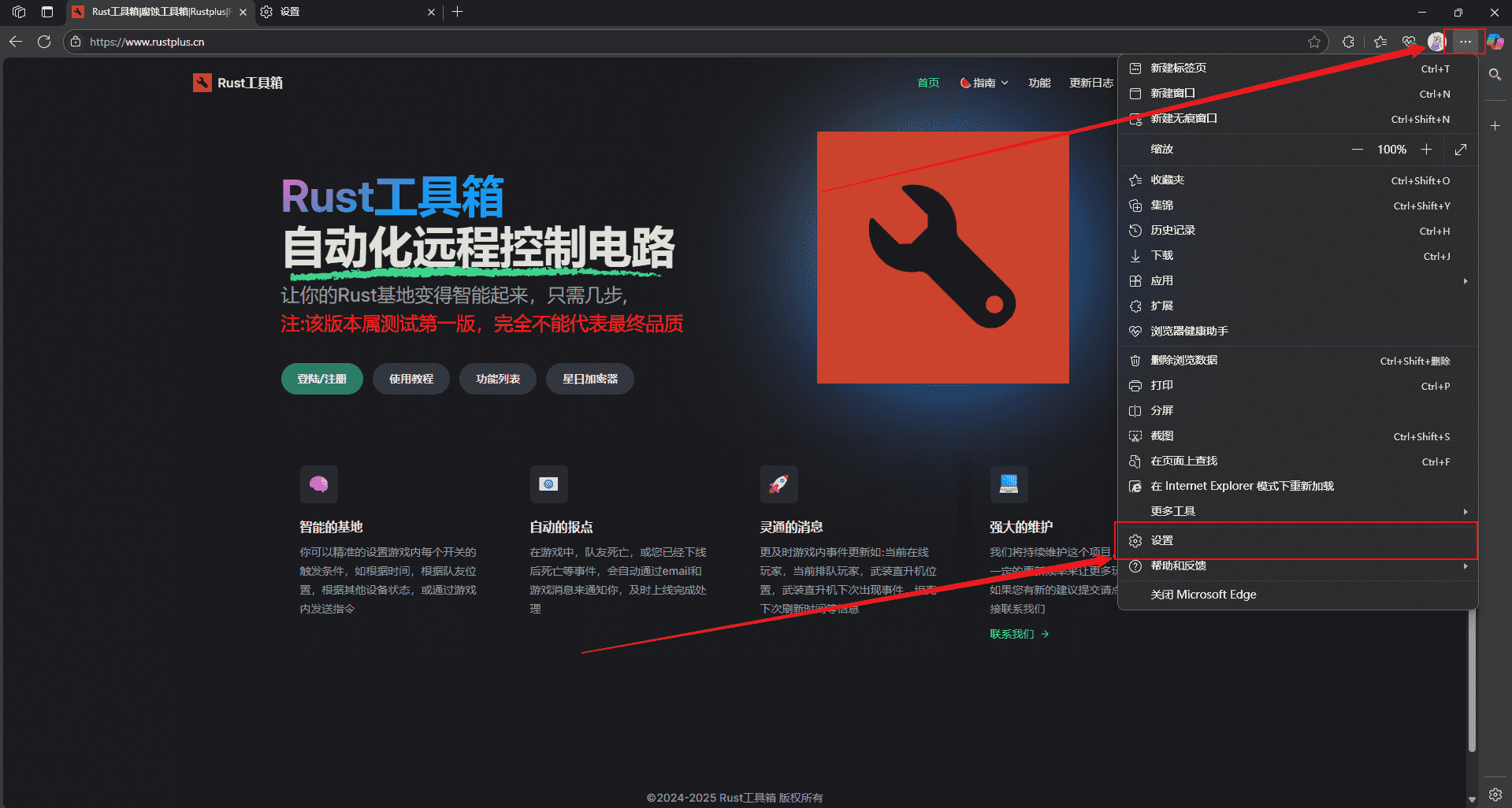
Click the three-dot menu (⋯) in the top-right corner of Edge, then select Settings.
Step 2: Go to Privacy & security
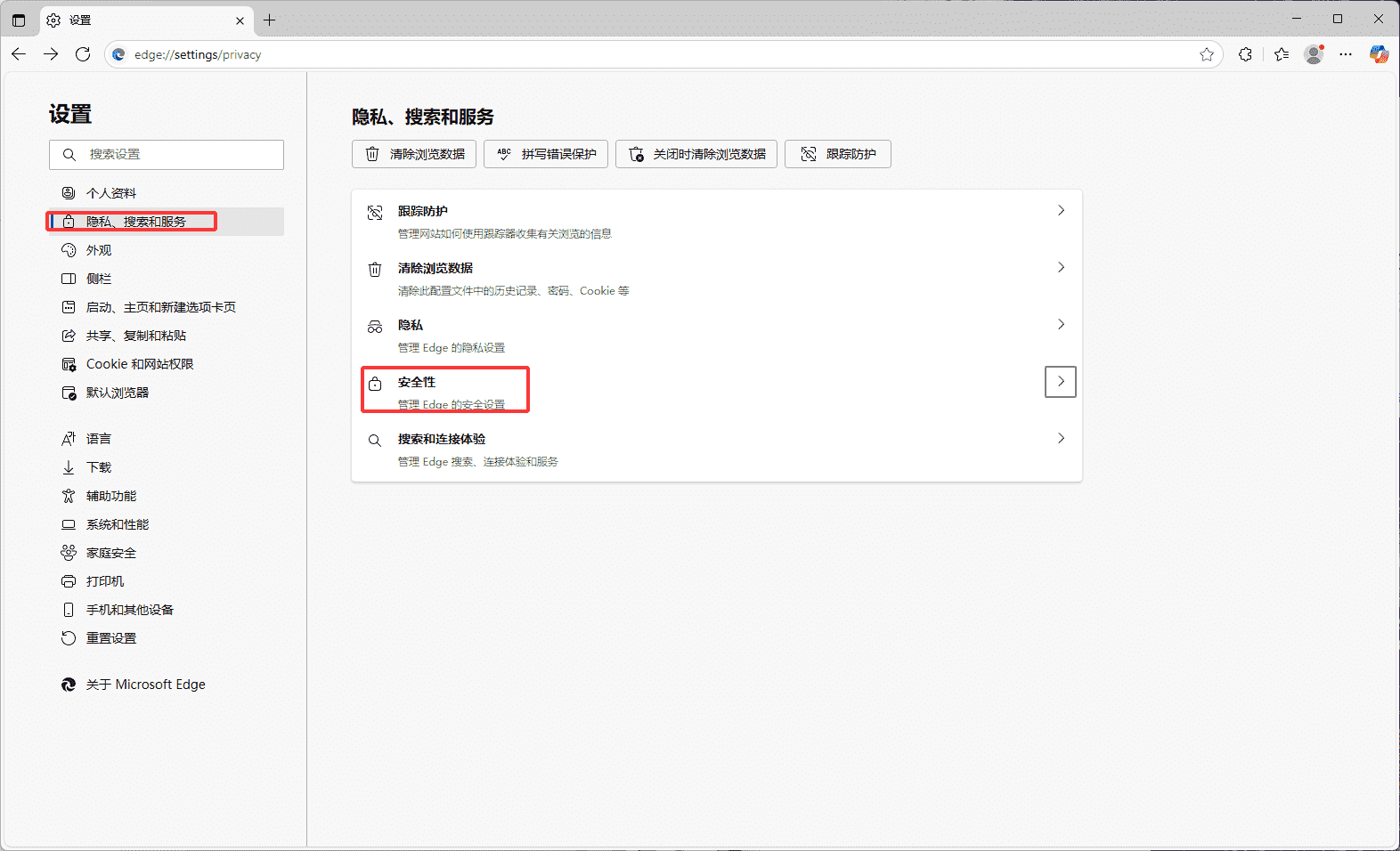
In Settings, click Privacy, search, and services in the left sidebar.
Step 3: Disable Secure DNS
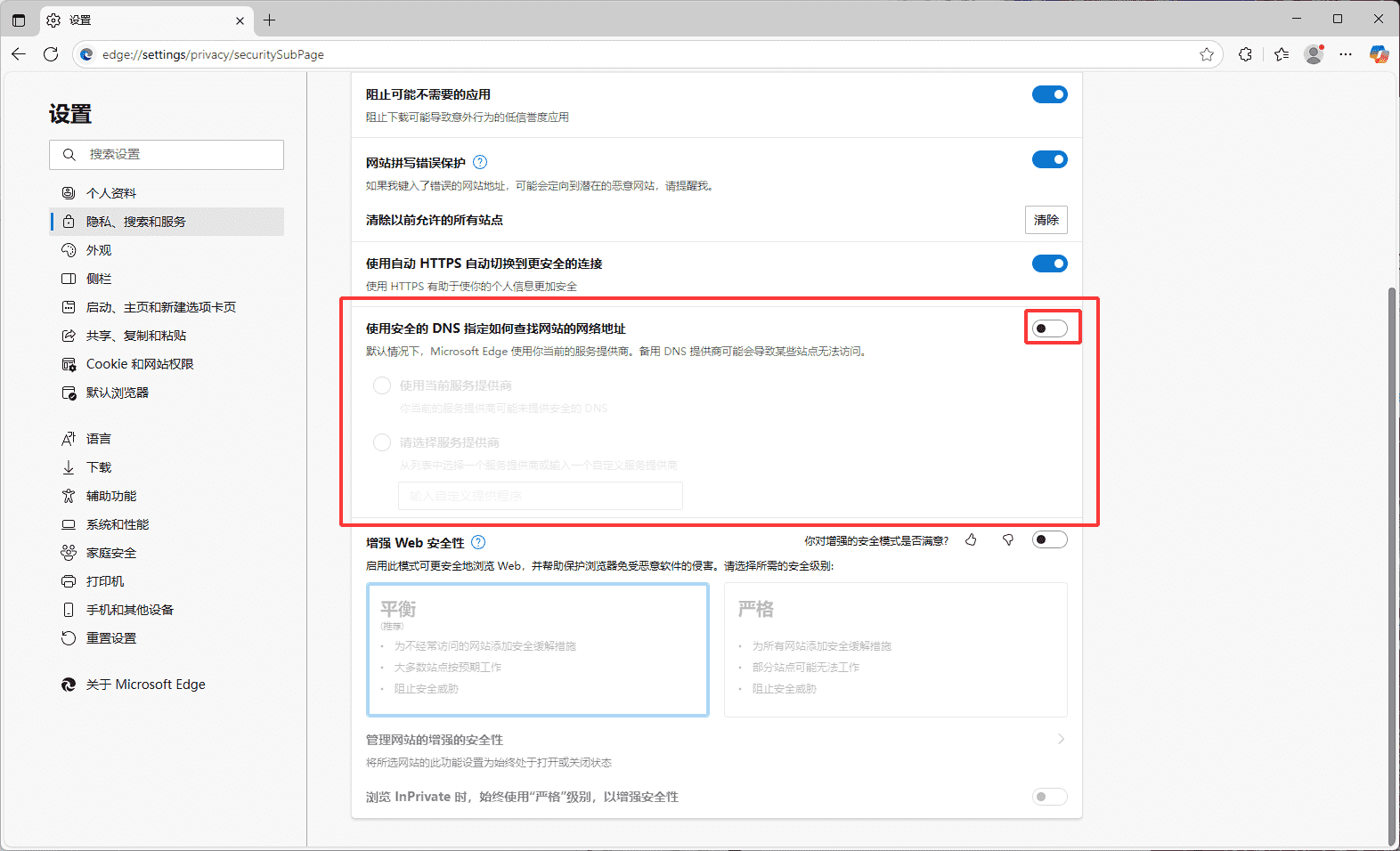
Under the Security section, find Use secure DNS to specify how to look up the network address for websites and turn it off.
Done
After completing the steps above, try opening the Edge store page again—you should be able to download the extension normally.
Other things to try
If the issue persists, you can also try:
- Clear browser cache and cookies
- Check your network connection
- Try another network environment
- Restart the browser or your PC